

Payroll Challenges: What Problems Are People Having With Payroll?
Payroll should be routine. But for many small business owners, it turns into a recurring headache: last-minute fixes, confusing reports, employee questions, and the constant worry that something was missed. Payroll challenges usually don’t come from laziness or lack of care. They happen when a business grows, systems get patched together, and payroll becomes dependent on imperfect inputs like timecards, approvals, and changing rules.
In this guide, we’ll break down the most common payroll problems businesses face, why they happen, and what you can do to prevent them. You’ll also find quick self-check warning signs and a simple process framework you can use to reduce errors, protect employee trust, and lower compliance risk.
Table of Contents
Why payroll problems happen (context, not blame)
Most payroll issues start the same way: a business builds a payroll routine that works for its current size, then outgrows it without realizing it.
Here are the most common underlying causes behind challenges in payroll processing:
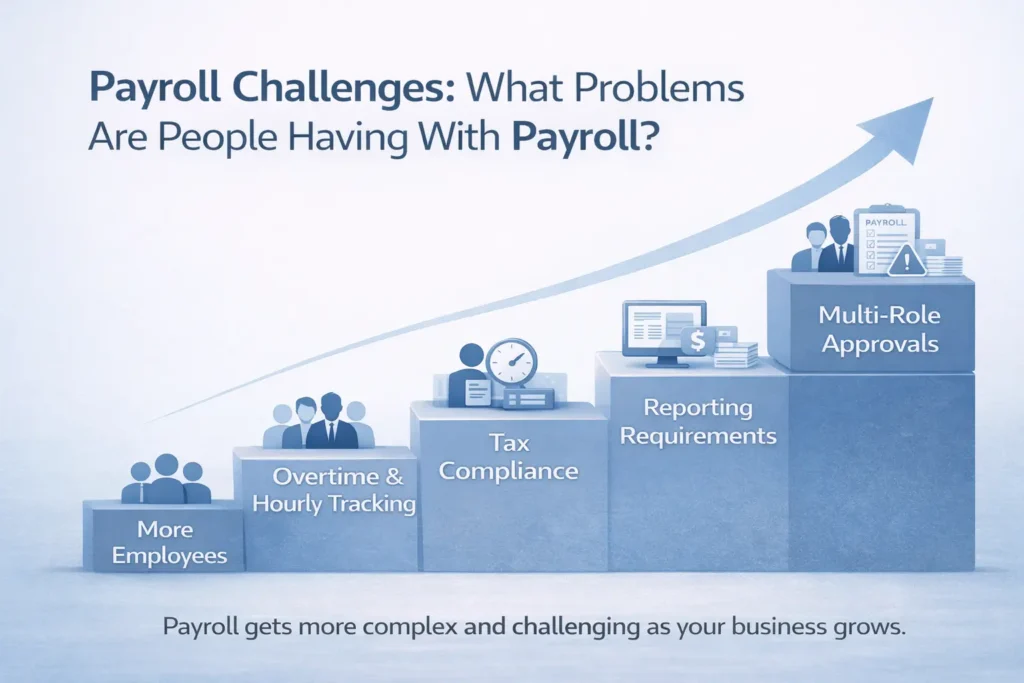
- Growth adds complexity. More employees means more pay rates, job roles, schedule changes, and exceptions. What used to fit in one spreadsheet turns into multiple systems and handoffs.
- Manual entry creates “silent errors.” A small typo in hours, pay rate, or deduction can snowball into incorrect checks, corrections, and employee frustration.
- Approvals are unclear or inconsistent. Payroll depends on time entry, manager approvals, and last-minute changes. If “who owns what” isn’t defined, payroll becomes a scramble.
- Rules change, and updates don’t always follow. Federal, state, and local requirements may change. Even when you have the right intent, setup details can drift over time.
- Hybrid and remote work adds new wrinkles. More businesses are managing employees across locations, time zones, and work patterns. That adds complexity to tracking, reimbursements, and reporting.
The goal isn’t to chase perfection. It’s to build a payroll process that catches problems before they hit a paycheck or create a tax notice.
The most common payroll challenges (and how to fix them)
Below are the payroll challenges that show up most often for small businesses, grouped by theme. Each section includes what goes wrong, why it matters, and practical steps you can implement right away.
Misclassified workers and mixed pay types (hourly, salary, contractors)
Realistic example: A growing service business hires a few 1099 contractors for overflow work. Over time, one contractor becomes the go-to person and is expected to work Monday–Friday, 9–5, using company tools and following the same day-to-day direction as employees. Payroll keeps them classified as a contractor because “that’s how it started,” even though the arrangement may no longer reflect an independent, self-directed role.
Helpful Resources: IRS guidance on employee vs. independent contractor classification
Why it matters: Misclassification can create compliance risk, back payments, and reporting corrections. It can also cause confusion when workers don’t receive the documents they expect at year-end.
How to prevent Payroll Misclassifications (tactical steps):
- Keep a simple worker profile list: employee vs contractor, pay type, rate, start date, and who approved classification.
- Review worker classifications quarterly, especially when roles change.
- Standardize pay codes (regular, overtime, bonus, reimbursement) and document when to use each.
- Use a consistent intake checklist for every new hire or contractor setup.
- When unsure, confirm the correct classification for your situation before you lock it into payroll.
- When payroll gets complicated, consider working with a dedicated payroll company like Southern Payroll Services to help reduce misclassification risk and keep setup consistent.
Incorrect payroll tax and withholding setup (small errors, big consequences)
Helpful Resources: Georgia DOR withholding tax guidance for employers
Realistic example: An employee moves to a neighboring city or county, or starts working remotely from a different location. Payroll keeps the same setup as before. Nothing looks wrong on payday, but the reporting becomes messy and corrections are needed later.
Why it matters: Payroll tax and withholding requirements can vary based on where an employee lives and where they work. In some areas, rates and local rules differ by city, county, or municipality and remote work can add another layer if the employee’s work location changes. If payroll isn’t updated when someone moves, it can lead to under-withholding or over-withholding, messy reporting, and time-consuming corrections. For federal withholding basics, see the IRS Employer’s Tax Guide (Publication 15). In some cases, it may also trigger notices that require research, documentation, and follow-up filings.
How to prevent incorrect Payroll Tax and Withholding Setup (tactical steps):
- Confirm employee address and work location anytime there’s a change in role or schedule.
- Create a “changes” form for payroll: address changes, pay rate changes, benefit changes, and job status changes.
- Assign one person to approve updates before they go into payroll.
- Run a monthly audit report: new hires, pay rate changes, and location changes.
- Keep a short list of “high-risk” changes that always require a second review.
Review Your Payroll Setup with Southern Payroll Services
Missed deadlines and filing errors (the payroll compliance challenge)
Helpful Resources: IRS employment tax due dates
Realistic example: A small retailer runs payroll weekly. The owner is the only person who understands the process. When they travel, payroll gets delayed. Everything “catches up” later, but the team loses confidence and the business is stuck in reactive mode.
Why it matters: Late payroll creates employee and contractor frustration immediately. Filing errors can create longer-term pain: notices, corrections, and administrative time spent gathering proof and rebuilding history.
How to prevent filing errors and missing deadlines (tactical steps):
- Build a payroll calendar with pay dates, approval cutoffs, and reporting milestones. Set reminders far enough ahead to match your team size—what takes 30 minutes for 5 employees may take hours for 50. (IRS tax calendar for businesses)
- Add a buffer day for approvals when possible.
- Create a fallback owner: someone who can run payroll if the primary person is out.
- Keep a checklist for each payroll run (collect time, approve, review exceptions, process, confirm).
- Store payroll reports consistently so you’re not searching during a deadline.
- Automate repetitive steps where you can—like calculations, standard deductions, and recurring filings, so payroll doesn’t rely on manual entry every cycle. (Reference: IRS guidance on depositing and reporting employment taxes)
- If payroll is becoming too burdensome or deadline-sensitive as you grow, consider a local payroll company to help keep pay runs and filings consistent.
Time tracking and approvals break down (where most payroll problems start)
Realistic example: A restaurant has a busy weekend. Several employees miss clock-outs. A manager manually adjusts hours but doesn’t document why. Payroll runs. Later, an employee disputes the check and no one can confidently confirm what happened.
Why it matters: Time tracking issues reduce trust fast. They also create payroll accuracy challenges and can lead to overtime and wage disputes.
How to prevent it (tactical steps):
- Centralize time tracking in one system, not texts and emails.
- Set a firm deadline for time entry and a separate deadline for approvals.
- Require documentation for manual edits (who edited, why, and when). (Reference: U.S. DOL FLSA recordkeeping requirements)
- Review exceptions before processing: missed punches, overtime spikes, reimbursements.
- Standardize who can approve time and what “approval” actually means.
Overtime, PTO, and reimbursements handled inconsistently
Realistic example: A construction company reimburses mileage sometimes, but not always. Different managers submit reimbursements differently. Payroll ends up guessing which payments are taxable wages vs reimbursements, creating reporting and employee confusion.
Why it matters: Inconsistent handling can lead to incorrect pay, difficult corrections, and unclear records. It also creates internal tension because employees compare outcomes.
How to prevent it (tactical steps):
- Document overtime rules and PTO rules in plain language.
- Use standardized codes for PTO, sick time, holiday, and reimbursements.
- Require approvals for reimbursements with a simple submission process.
- Review overtime trends monthly to catch issues early.
- Keep policies consistent across managers, not “manager-by-manager.”
Multi-location, multi-state, and remote work complexity
Realistic example: A company based in Metro Atlanta hires a remote employee who works from another state. Payroll is set up like the employee is local. Months later, the business realizes reporting and tax handling needs to be corrected.
Why it matters: Multi-location complexity increases compliance risk and creates challenges of maintaining payroll compliance in the US, especially when changes are handled informally.
How to prevent time tracking and approval breakdowns (tactical steps):
- Track work location and job location separately if they differ.
- Confirm setup any time an employee becomes remote or changes work location.
- Create a multi-location checklist for payroll setup and reporting.
- Use role-based access so changes are reviewed and approved.
- Keep a documentation trail so you can answer questions confidently later.
Quick self-check: diagnose payroll risk in 2 minutes or less
- Payroll gets delayed because timecards are submitted after the cutoff (or supervisors approve hours late)
- Pay corrections happen “most months” because of missed punches, wrong rates, or late changes
- Only one person understands how payroll works, so payroll stalls when they’re out (vacation, sick, busy week)
- Employees frequently question hours, overtime, PTO balances, or deductions because the numbers don’t match what they expected
- You’ve received a notice from the IRS or your state about payroll taxes (late deposit, missing quarterly filing, or a reported wage mismatch) and weren’t sure how to respond
- Pay types (bonus, PTO, reimbursements) are handled inconsistently—sometimes taxed, sometimes not, or coded differently depending on who submits it
- Reports don’t match what accounting expects—payroll totals, labor allocation, or expense entries require manual fixes each period
- Remote or multi-location employees are handled informally—work location changes aren’t reflected in payroll setup, and reporting gets messy
- You don’t have a clear payroll checklist or calendar
What a better payroll process looks like (a simple framework)
- Employee time entry
- One system, one deadline
- Clear expectations for missed punches and edits
- Manager approval
- A clear cutoff
- Documented exceptions and changes
- Payroll review
- Review high-risk areas: overtime, new hires, terminations, reimbursements, location changes
- Run a quick audit before processing
- Payroll processing
- Standardized process and checklist
- Confirm totals, pay types, and any exceptions
- Reporting and recordkeeping
- Store payroll reports consistently
- Keep notes on adjustments so you can explain them later
FAQs: Common questions about payroll challenges
Payroll issues tend to show up in the same places: time tracking, approvals, setup details, and reporting. If you’re dealing with problems with payroll and trying to understand the common payroll challenges for small business, these FAQs break down the most frequent payroll processing challenges and what they usually point to in your process.
What is the biggest challenge in payroll?
For many small businesses, the biggest challenge is consistency: getting accurate time data, approvals, and correct setup every pay period without last-minute fixes.
What are the most common payroll challenges businesses face?
Common payroll challenges include time tracking errors, incorrect setup, missed deadlines, inconsistent pay codes, and reporting mismatches.
Why is payroll processing so complex for small businesses?
Payroll often becomes complex because growth introduces more pay types, more exceptions, more approvals, and more compliance requirements, while processes stay informal.
How can payroll errors impact a business?
Payroll errors can damage employee trust, create administrative burden, and in some cases lead to penalties, corrections, or audit exposure.
What are payroll challenges in managing multi-state businesses?
Multi-state payroll introduces additional setup, reporting, and compliance needs. It typically requires clearer documentation and tighter controls.
What are the biggest payroll challenges for remote teams?
Remote teams often create payroll issues around work location setup, time tracking, and consistent policies. Different cities or states may require updates for withholding and reporting, and remote workflows can make approvals harder, increase missed punches, and lead to inconsistent reimbursements or stipends. To reduce risk, document each employee’s primary work location, standardize time entry and approval cutoffs, and review location changes regularly so payroll stays aligned.
If payroll feels harder than it should, you’re not alone.
If payroll feels harder than it should, you’re not alone. Most small businesses don’t struggle because they’re careless. They struggle because payroll is dependent on lots of moving parts: time tracking, approvals, pay rules, reporting, and compliance details that change as your business changes.
Southern Payroll Services has spent decades helping businesses in the Metro Atlanta area and across the Southeast reduce payroll headaches by building a process that’s consistent, accurate, and easier to manage. That includes personalized support, multiple ways to run payroll (online or with a specialist), and the kind of setup and review that helps prevent problems before they hit payday.
If your payroll challenges are starting to cost you time, create avoidable stress, or put your team in reactive mode, it may be worth stepping back and improving the system instead of continuing to patch it.